CSS【8.11、18.11】
-
大名: Cascading Style Sheets
-
寓意: 层叠 样式 列表
作用:
-
结构与样式分离的方式,便于后期维护与改版
-
可以用多套样式,使网页有任意样式切换的效果
-
使页面载入得更快、降低服务器的成本
CSS 使用
-
标签选择器
![]()
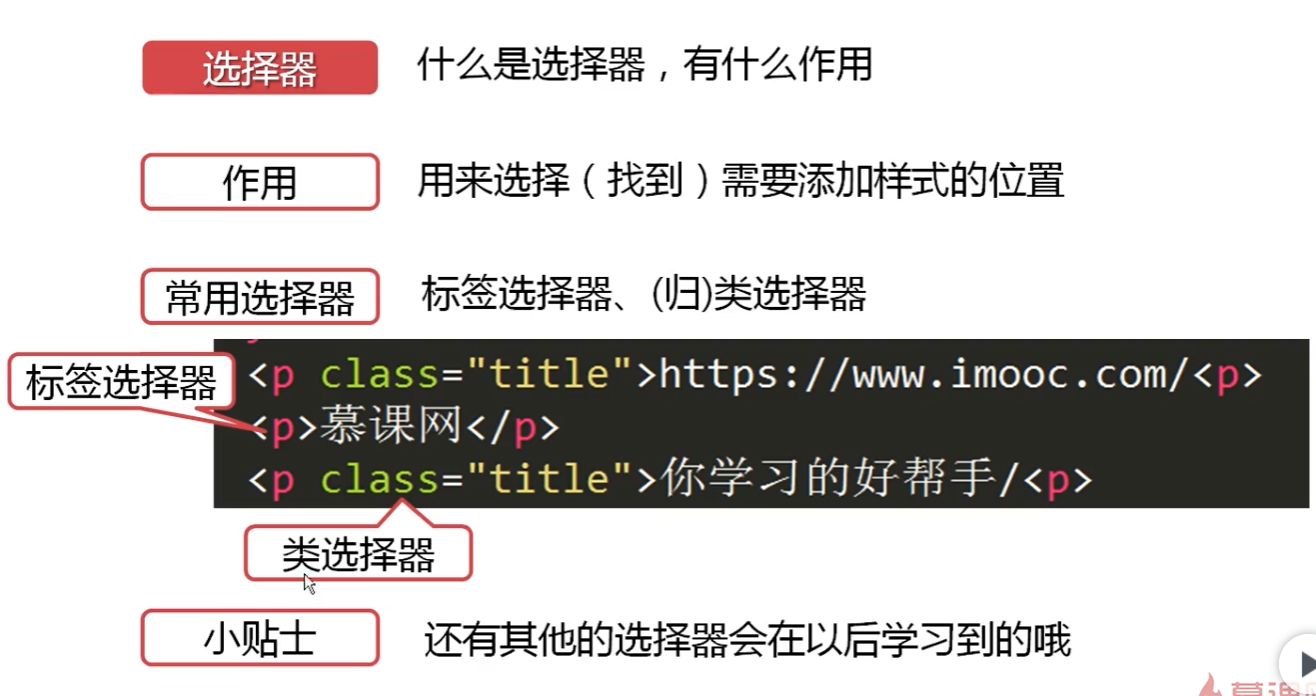
内部样式设置
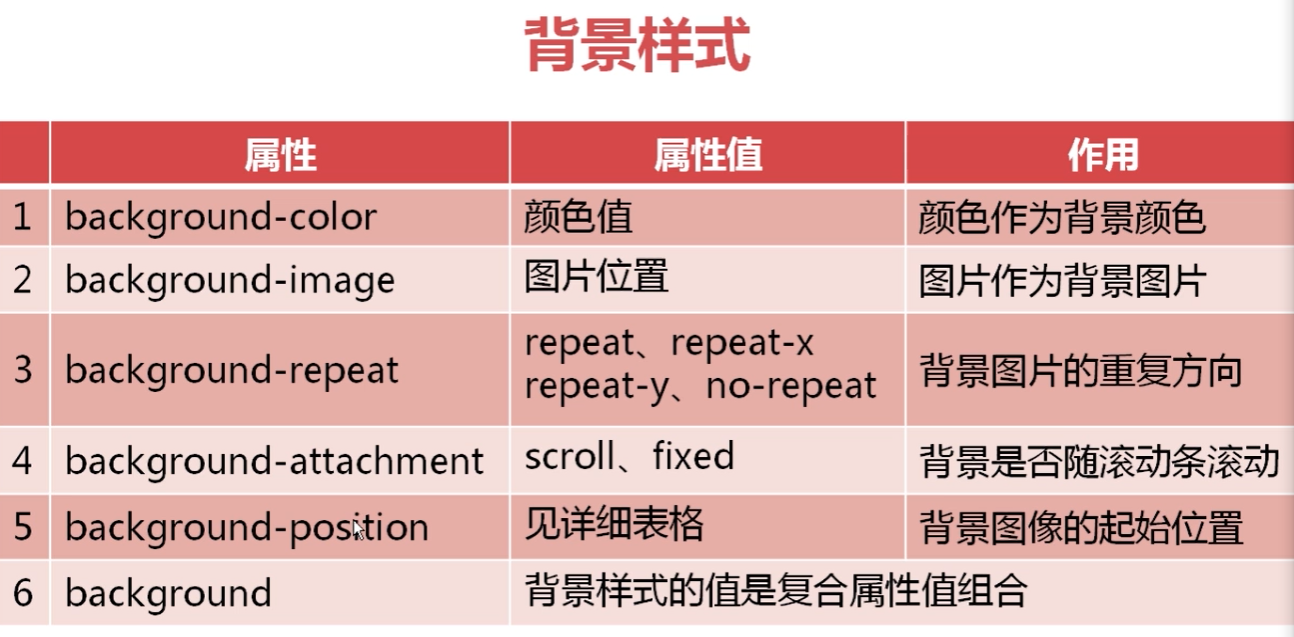
index.html 中用 <style type="text/css"> p{ background-color: red ; font-size: 20px; } .p1{ font-family: 隶书; } body{ background:pink url("image/1.jpg")no-repeat fixed 20px 30px; } </style>![]()
![]()
-
background-attachment: scroll; 背景和文字一起滚动
-
background-attachment: fixed; 固定背景 文字滚动
-
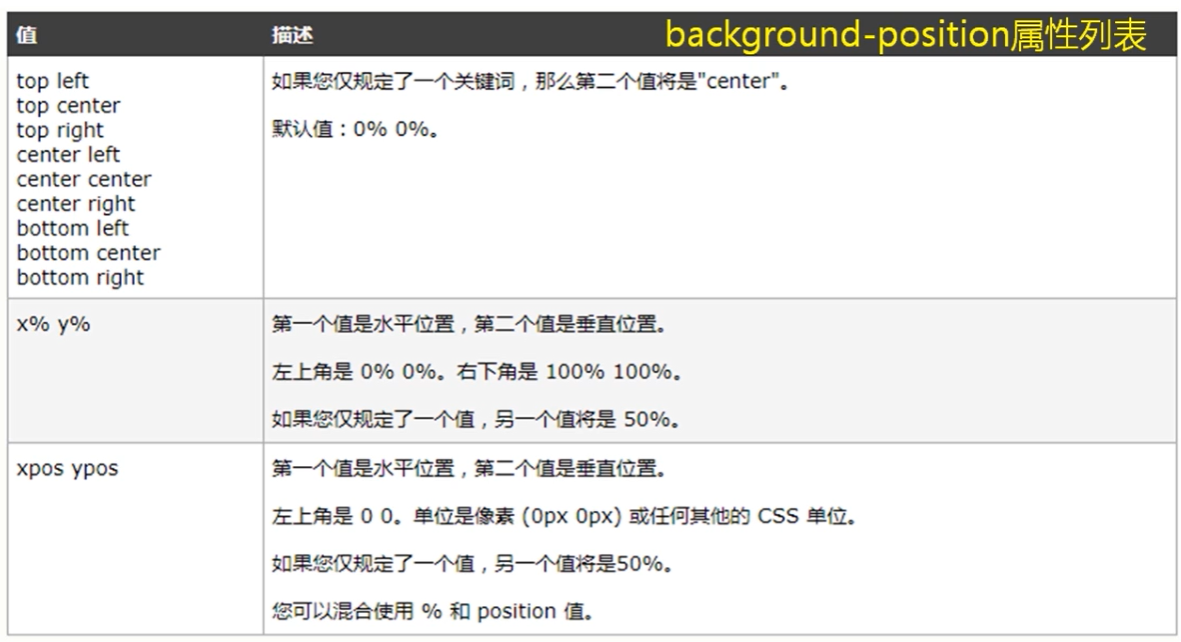
background-position: top center; 背景居中
-
background-position: 20px 30px; 背景图片位置
-
按顺序写:background:pink url("image/1.jpg")no-repeat fixed 20px 30px;
外部样式
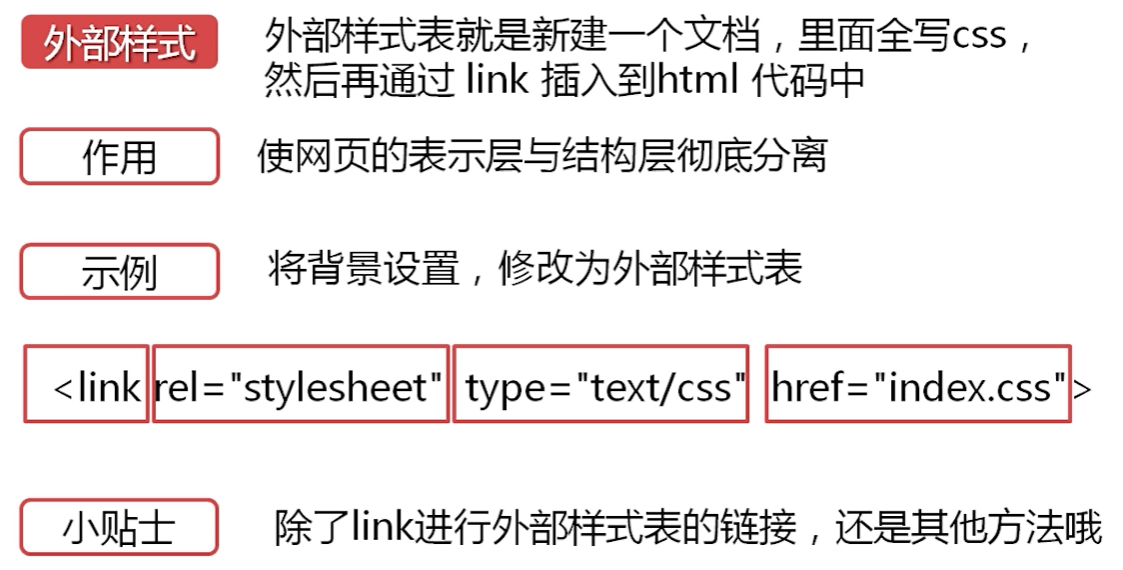
- 用于定义文档与外部资源的关系
- rel 是 relationship 的英文缩写,也就是“关系”
- 定义 css 样式文件的类型
- 引用的具体的外部样式的文件,名字要望文生义
index.css 中
/////////////////////////////
p{
            background-color: red ;
            font-size: 20px;
        }
        .p1{
            font-family: 隶书;
        }
        body{
            /*background-color: pink;
            background-image: url("image/1.jpg");
            background-repeat: no-repeat;
            background-attachment: fixed;
            background-position: top center;*/
            background:pink url("image/1.jpg")no-repeat fixed 20px 30px;
        }
/////////////////////////////////////////
index.html 中用
<link rel="stylesheet" type="text/css" href="index.css">去替代上面的- 行内样式设置:style="background-color: red;font-size:40px;"
- 三种方式的优先级:
行内元素样式设置>内部样式设置>外部样式设置
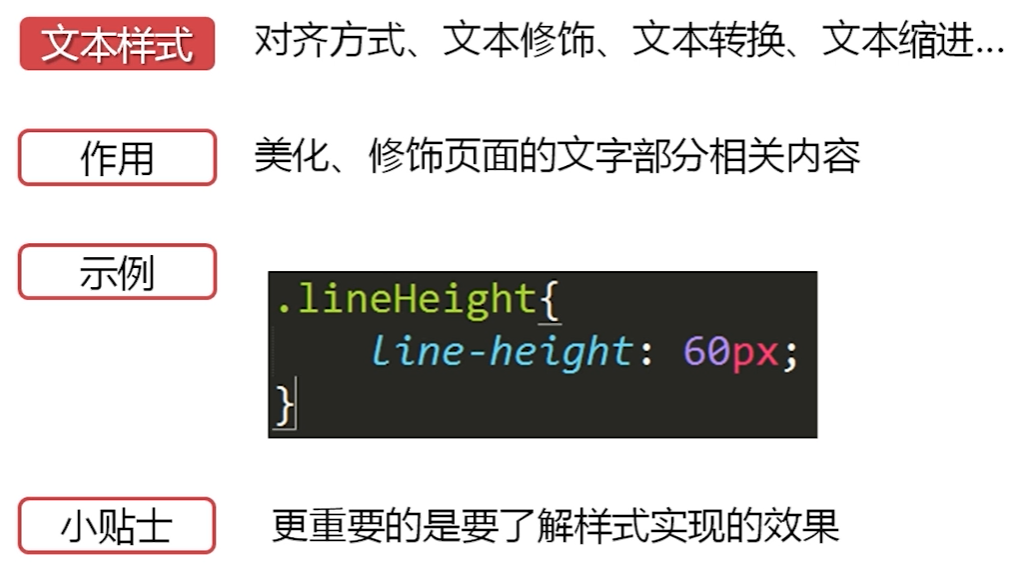
文本类样式
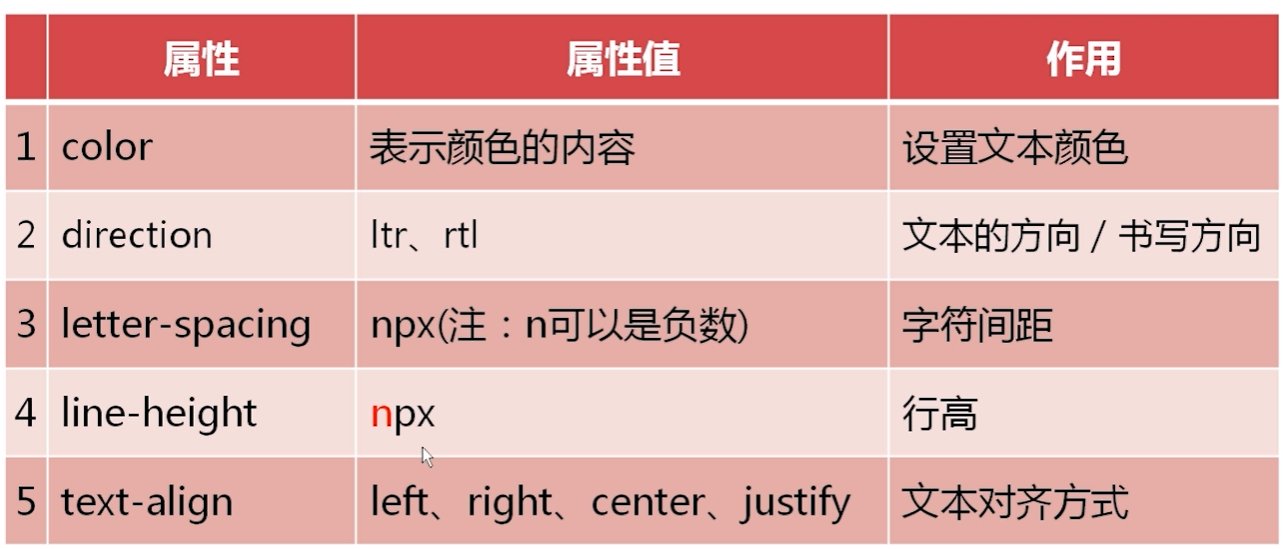
- text-align: justify; 【两端对齐】
- direction: rtl; 【对字母没用,对数字可以倒序输出】
![]()
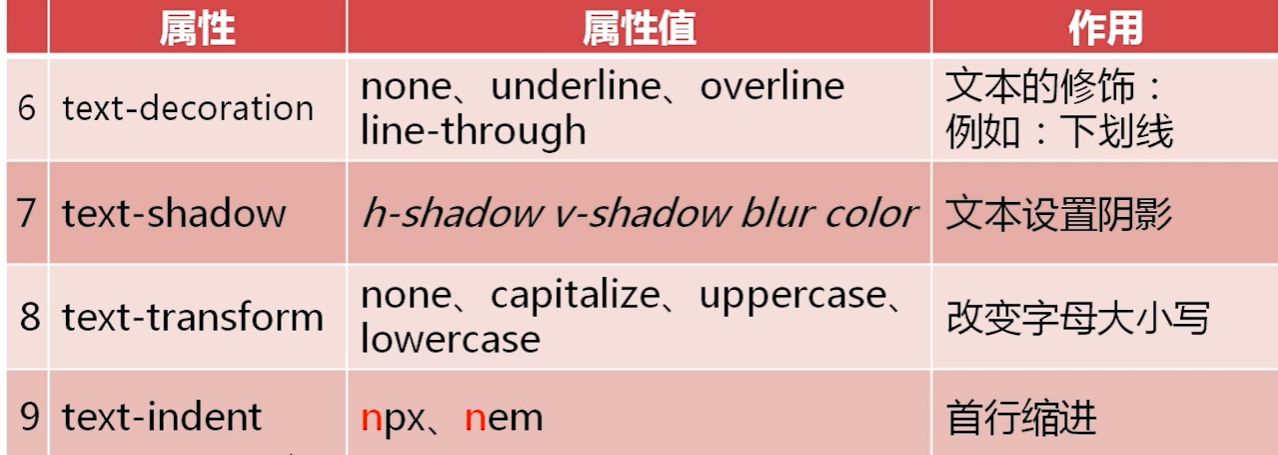
- text-shadow: 5px 5px 10px red; 【坐标 阴影长度 颜色】
- text-transform: capitalize;【首字母大写】
- text-transform: uppercase;【字母全大写】
字体样式
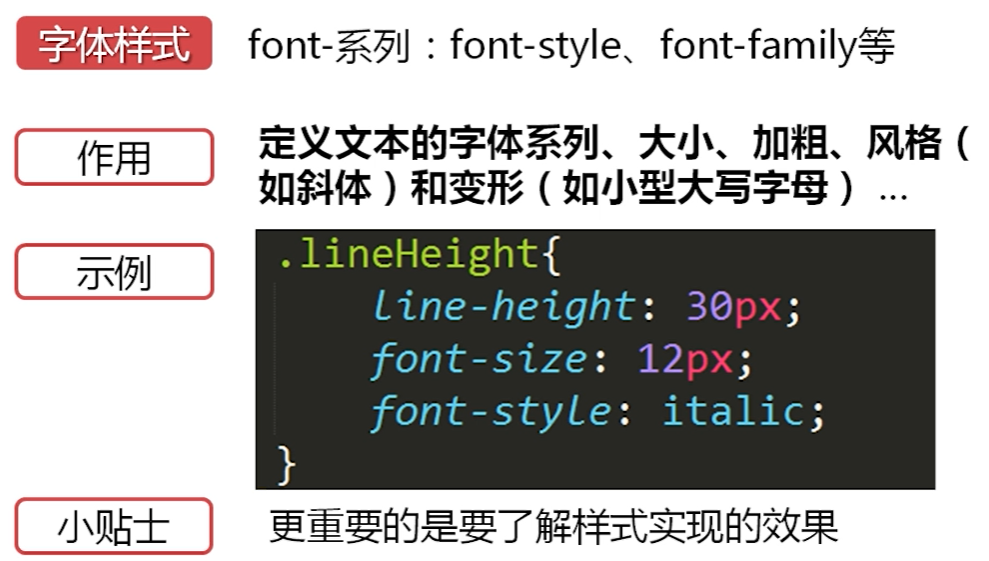
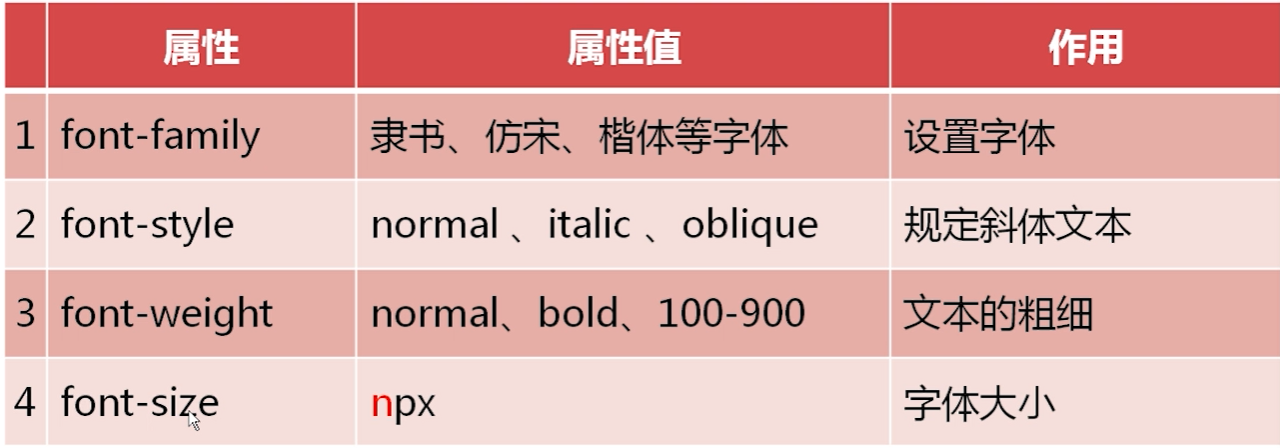
- oblique:倾斜显示
- italic:斜体字【部分】
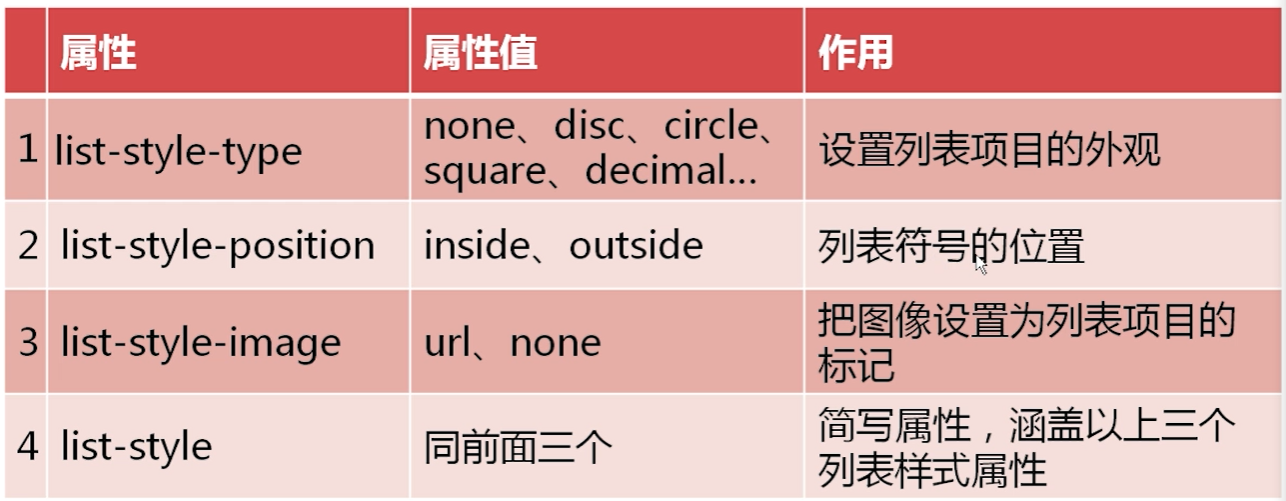
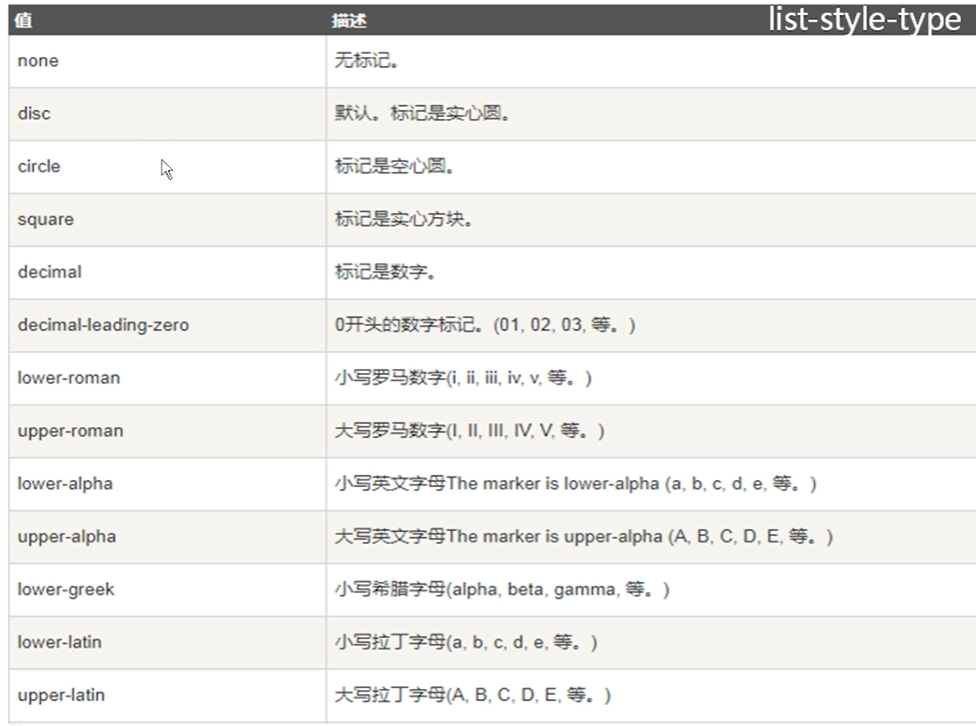
列表样式
伪类样式
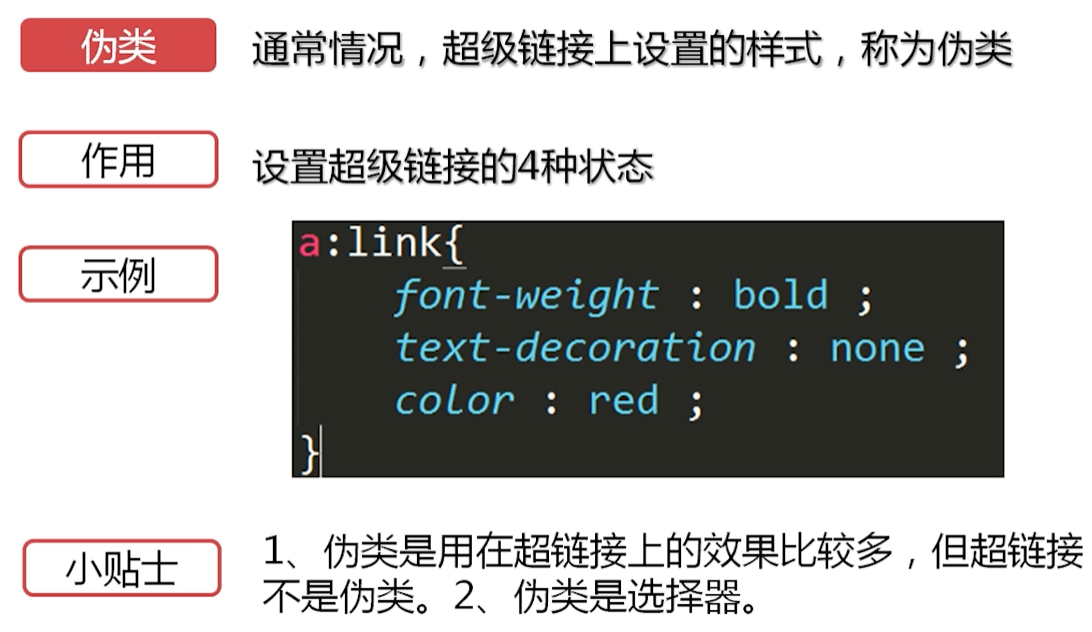
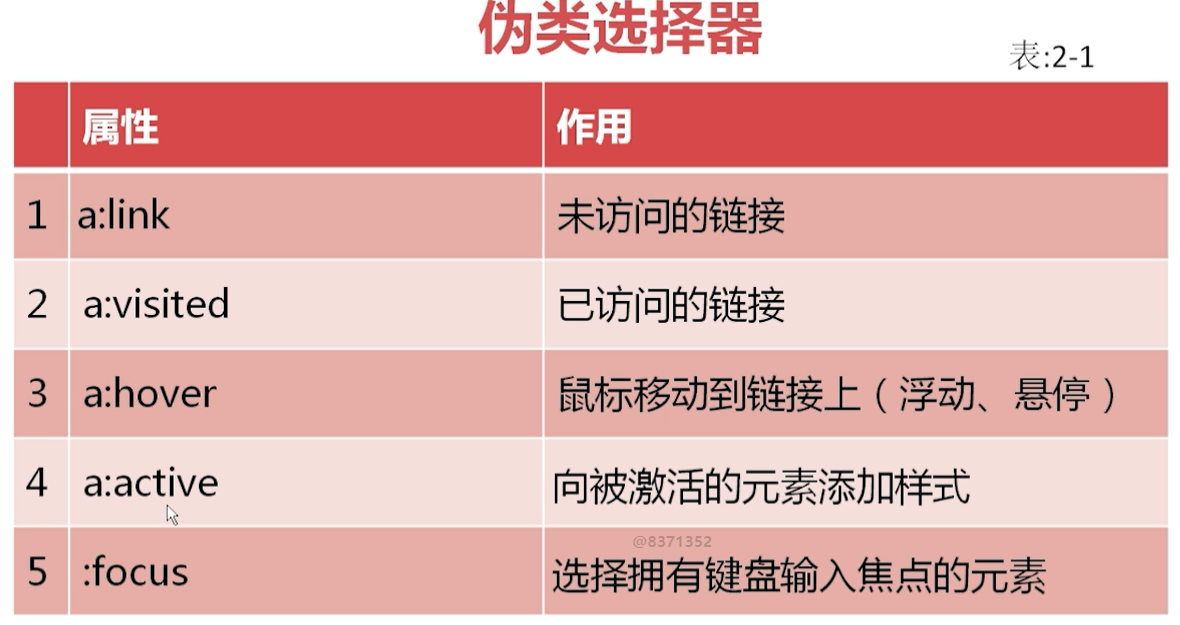
index.html 中
、、、、、、、、、、、、、、、、
<!DOCTYPE html>
<html lang="en">
<head>
    <meta charset="utf-8">
    <title>Document</title>
    <link rel="stylesheet" type="text/css" href="index.css">
</head>
<body>
    <p>http://www.imooc.com</p>
    <p class="p1">慕课网</p>
    <a href="#">伪类</a>
    <label>用户名</label>
    <input type="text" >
</body>
</html>
//////////////////////////////////
index.css 中
、、、、、、、、、、、、、、、、、、、、、、
a: link{
color: lightpink;
}
a:visited{
color: lightpink;
}
a:hover{
color: yellow;
font-size: 30px;
}
a:active{
color: blue;
}
label:hover{
color: red;
}
input:hover{
background-color: red;
}
input:active{
background-color: blue;
}
input:focus{
background-color: yellow;
}伪类的分类
- 状态伪类
- 结构性伪类
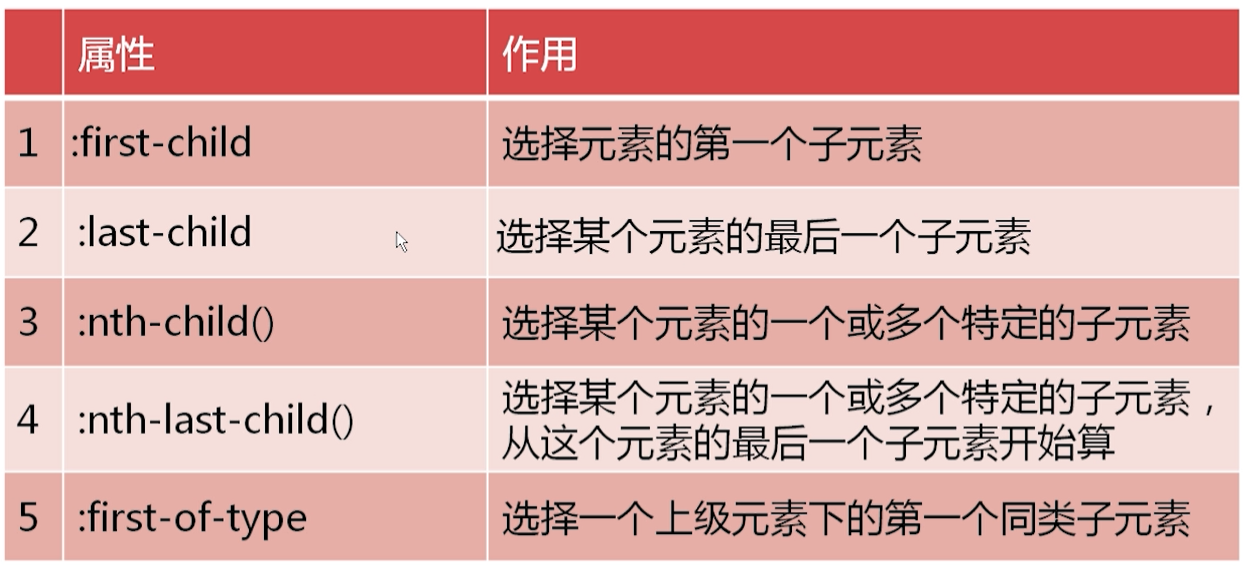
伪元素选择器【部分内容操作】
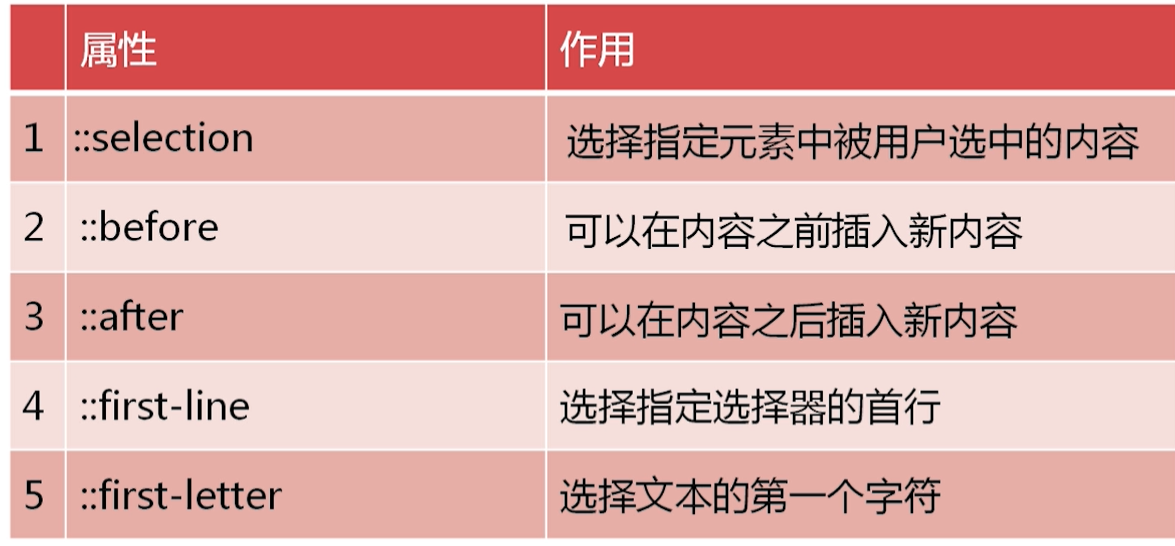
-
p::before{ content: "终于找到你,"; }
-
p::first-line{ background-color: pink; }
CSS 其他选择器
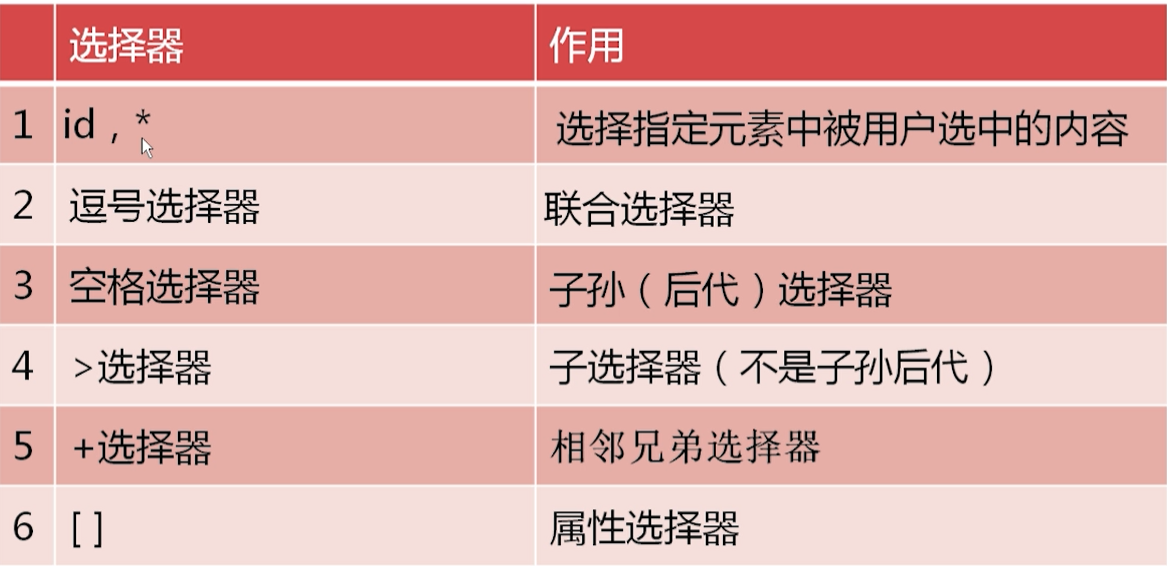
.html:
<p id="name1">慕课网</p>
<p id="name2">慕课网</p>
.css:
、、、、、、id:
#name1{color: red;}
#name2{color: blue;}
、、、、、、逗号选择器:
#name1,#name2{
    color: red;
    background-color: yellow;
}
、、、、、、、子孙选择器:
#div1 p{
    color: red;
}
、、、、、、>选择器
#div1 >p{
    color: red;
}   <p>孙菲菲地方是的无缝管人工费不坑你了</p>
、、、、、、+选择器
#div1 +p{
    color: red;
}<p>我在 div1 的外面</p>
#div2 +div{
    color: red;
}<div id="div3">
    <p id="name1">慕课网</p>
    <p id="name2">慕课网</p>
    </div>
、、、、、、属性选择器
p[class="p1"]{
    color: red;
}
CSS 选择器优先级
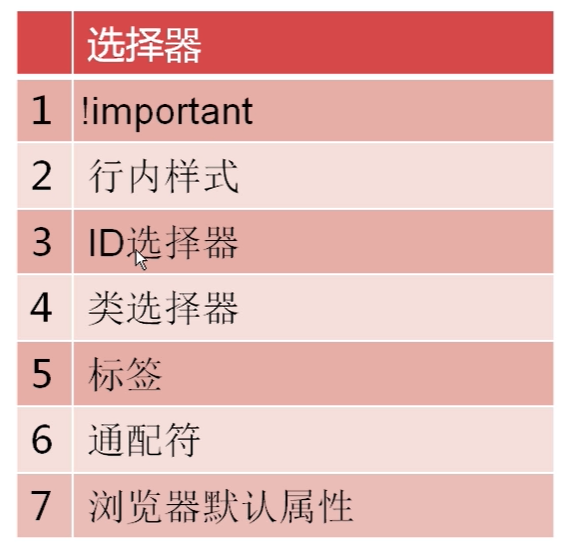
.html:
<!DOCTYPE html>
<html lang="en">
<head>
    <title>css 选择器优先级</title>
    <link rel="stylesheet" type="text/css" href="index.css">
</head>
<body>
    <div class="div1" id="div2">
    </div>
</body>
</html>
////////////////////////////////////////
.css:
div{
    width: 200px;
    height: 200px;
    background-color: red;
}
.div1{
    background-color: yellow !important;
}<!--!important 强制优先-->
#div2{
    background-color: blue;
}


