1.响应式布局 REM
-
安装: npm install lib-flexible
- 在 main.js 导入 import 'lib-flexible/flexible.js'
-
npm install postcss-plugin-px2rem -D
- 在 vue.config.js 导入
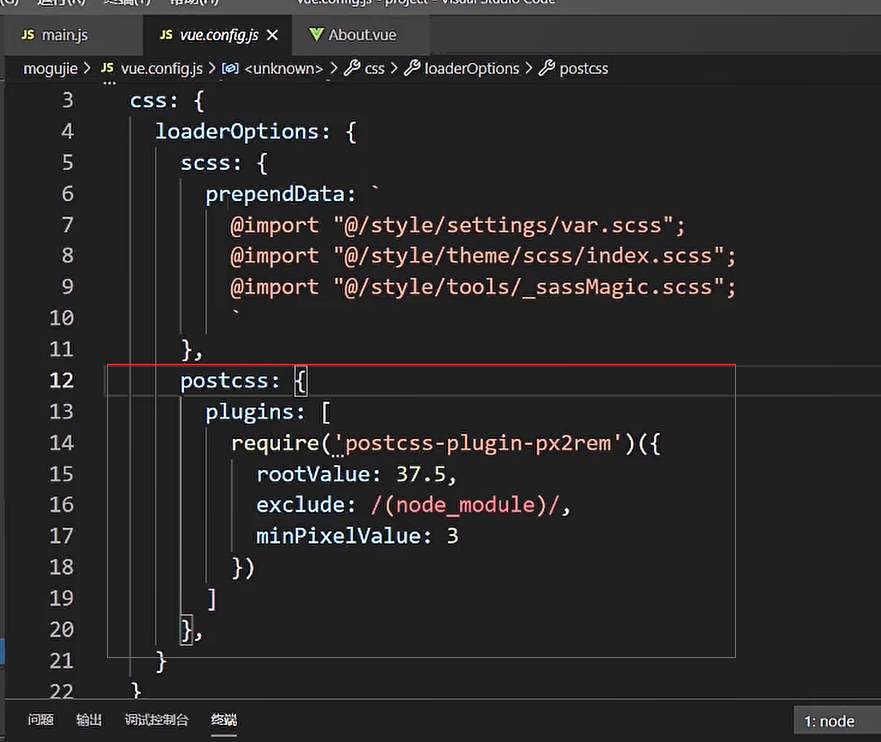
- rootValue: 37.5 [ 设计稿的大小 / 10 ]
- exclude : [ 对于那个目录排除在外 ]
- minPixelValue : 3 [ 这个插件只对 3px 及以上的内容才生效 ]
2.SVGIcon
- Svg 支持多色图标
- Svg 可以控制图标不同部分, 加入动画
- Svg 是矢量图形, 图标锐利, 体积更小
- 制作 SvgIcon 的平台 IconPark
3.纯 CSS 实现轮播图
<template>
  <div class="box">
    <div class="box__item bg1"></div>
    <div class="box__item bg2"></div>
    <div class="box__item bg3"></div>
    <div class="box__item bg4"></div>
  </div>
</template>

<style scoped lang="scss">
<template>
  <div class="box">
    <div class="box__item bg1"></div>
    <div class="box__item bg2"></div>
    <div class="box__item bg3"></div>
    <div class="box__item bg4"></div>
  </div>
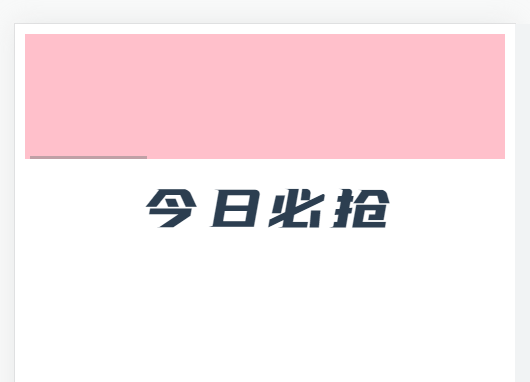
  <div font-feichi style="font-size: 50px">今日必抢</div>
</template>

<style scoped lang="scss">
.box {
  overflow: auto;
  white-space: nowrap;
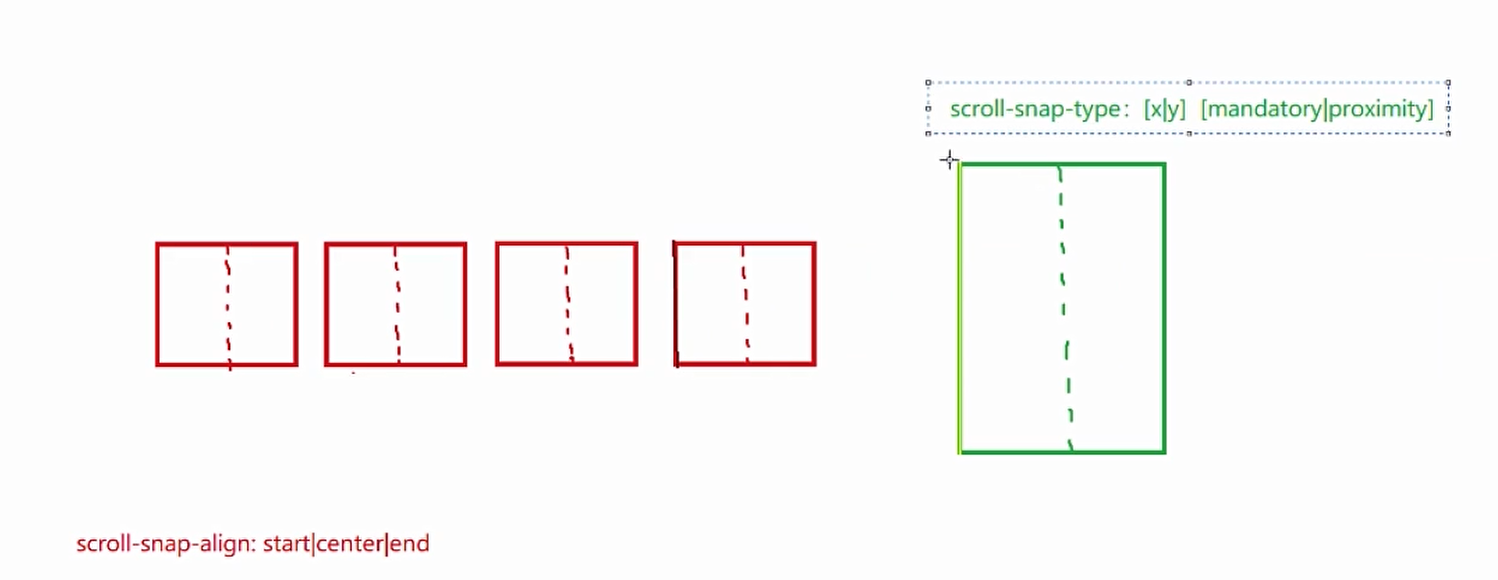
  scroll-snap-type: x mandatory;

  &__item {
    display: inline-block;
    background: pink;
    width: 100%;
    height: 100px;
    scroll-snap-align: center;
    //拖动不能跳过
    scroll-snap-stop: always;
  }

  .bg1 {
    background: pink;
  }

  .bg2 {
    background: yellow;
  }

  .bg3 {
    background: blue;
  }

  .bg4 {
    background: black;
  }
}
</style>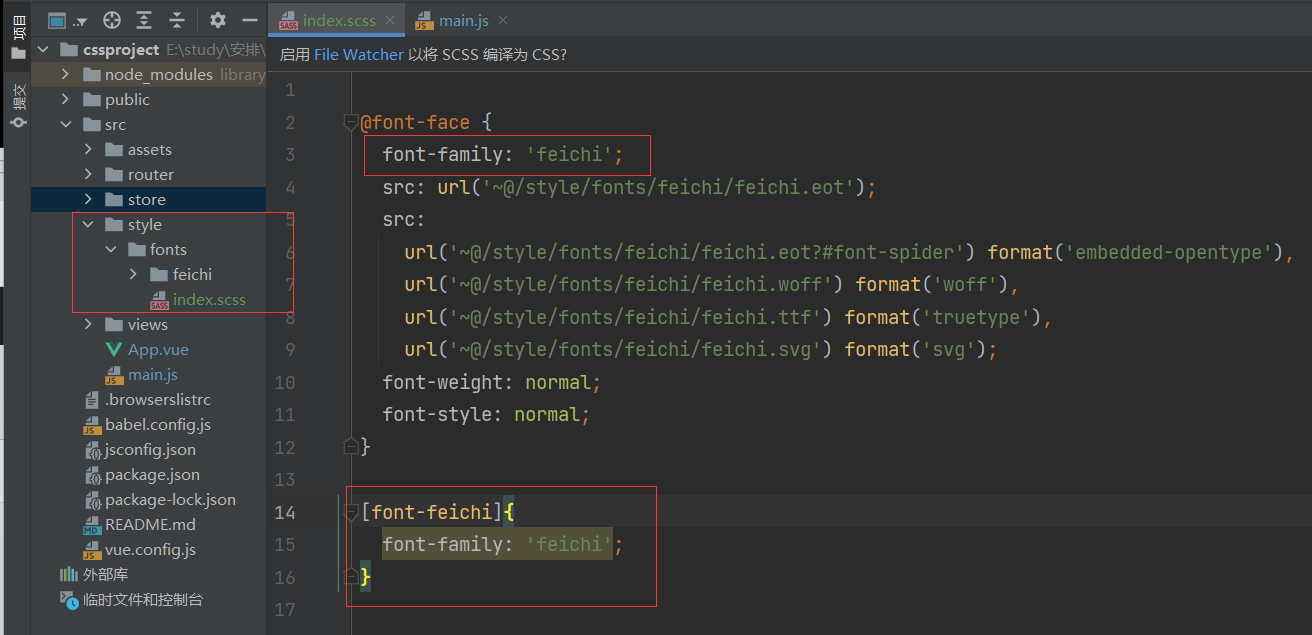
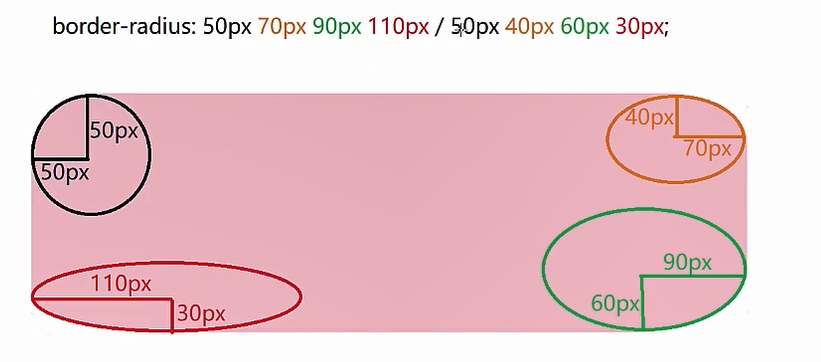
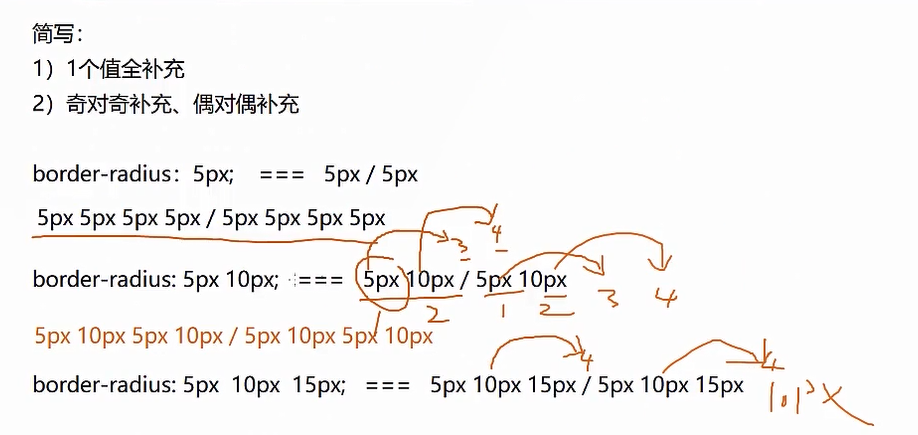
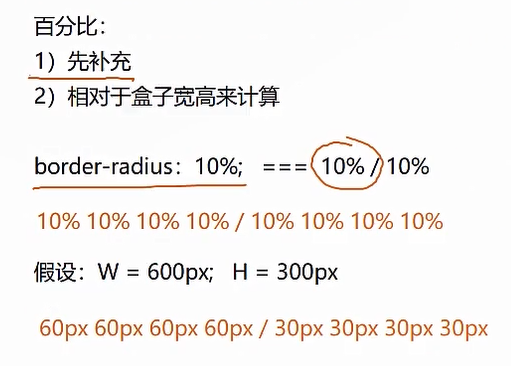
4.border-radius 原理及实现复杂图形
5.vue-铃铛加红点
<div id="bell" >
            <div  class="el-icon-bell bell"><i class="dots"></i></div>
</div>
#bell {
position: absolute;
right: 192px;
padding-top: 3px;
//margin-top: 4px;
.bell {
padding: 3px 7px 0 7px;
display: inline-block;
font-size: 21px;
color: #000000;
font-weight: bold;
position: relative;
}
.dots {
display: block;
background: #f00;
border-radius: 50%;
width: 0.3em;
height: 0.3em;
top: 0;
right: 6px;
position: absolute;
}
}6.vue-手写公告条
1、单行文本溢出显示省略号
overflow: hidden;(文字长度超出限定宽度,则隐藏超出的内容)
white-space: nowrap;(设置文字在一行显示,不能换行)
text-overflow: ellipsis;(规定当文本溢出时,显示省略符号来代表被修剪的文本)

 2、多行文本溢出显示省略号
-webkit-line-clamp: 2;(用来限制在一个块元素显示的文本的行数,2 表示最多显示 2 行。为了实现该效果,它需要组合其他的 WebKit 属性)
display: -webkit-box;(和 1 结合使用,将对象作为弹性伸缩盒子模型显示 )
-webkit-box-orient: vertical;(和 1 结合使用 ,设置或检索伸缩盒对象的子元素的排列方式 )
overflow: hidden;(文本溢出限定的宽度就隐藏内容)
text-overflow: ellipsis;(多行文本的情况下,用省略号 “…” 隐藏溢出范围的文本)
<div id="bell_block" @mouseleave="closeBellBlock">
<ul>
<li v-for="(item,index) in 20" :key="index">
<span @click="openBox">第 1 条通告第 1 条通告第 1 条通告第 1 条通告第 1 条通告第 1 条通告第 1 条通告第 1 条通告第 1 条通告第 1 条通告<i
class="dots"
></i></span>
<el-button type="danger" size="mini" icon="el-icon-delete" circle></el-button>
</li>
</ul>
</div>#bell_block::-webkit-scrollbar{
width: 6px;
background-color: #f8f8f8;
}
#bell_block::-webkit-scrollbar-thumb{
width: 6px;
background-color: #adacac;
border-radius: 4px;
}
#bell_block {
//display: inline-block;
width: 250px;
height: 400px;
position: absolute;
right: 80px;
top: 51px;
background-color: #FFFFFF;
box-shadow: 4px 4px 15px #d7d3d3;
word-wrap: break-word;
overflow: hidden;
padding: 0 10px 0 10px;
z-index: 99999;
display: none;
overflow-y: auto;
ul {
padding: 0!important;
li {
display: flex;
justify-content: space-between;
padding-bottom: 10px;
span {
list-style-type: none;
color: #000;
font-size: 16px;
letter-spacing: 0.2px;
overflow: hidden;
white-space: nowrap;
text-overflow: ellipsis;
line-height: 26px;
position: relative;
cursor: pointer;
.dots {
display: block;
background: #f00;
border-radius: 50%;
width: 0.3em;
height: 0.3em;
top: 3px;
right: 9px;
position: absolute;
}
}
button {
width: 26px;
height: 26px;
font-size: 12px;
margin-top: -3px;
//line-height: 26px;
//margin-left: 3px;
}
}
}
}7.动画滚动
 <div id="notice">
        <span id="notice_text">1111222222222222222222222222222222222222223333333333333</span>
      </div>
#notice {
position: absolute;
top: 20px;
left: 300px;
//width: 950px;
width: 63%;
overflow: hidden;
#notice_text {
margin-left: 100%;
animation: 3s linear 0.1s slidein;
}
}8.当使用 scss 布局时,取消最后一块的有边框,暂时取消不成,,采用循环时 v-for,可以采取下列方式[F12 调试中的标签级别,写单独的样式]
<el-col :span="6" v-for="(item,index) in newsData" :key="index" :class="'border_right-' + (index + 1)">

.border_right-4{
  .news_context{
    .news_context_text{
      border-right: none!important;
    }
  }
}


